LIDAR and Shaded-Relief Map Viewer
Explore terrain with a Geoportal shaded-relief layer beside a synchronized map view.
Dualmaps opens the LIDAR layer together with a 3D buildings view. Move or zoom either panel to inspect the same area in both.
Open the LIDAR map viewer →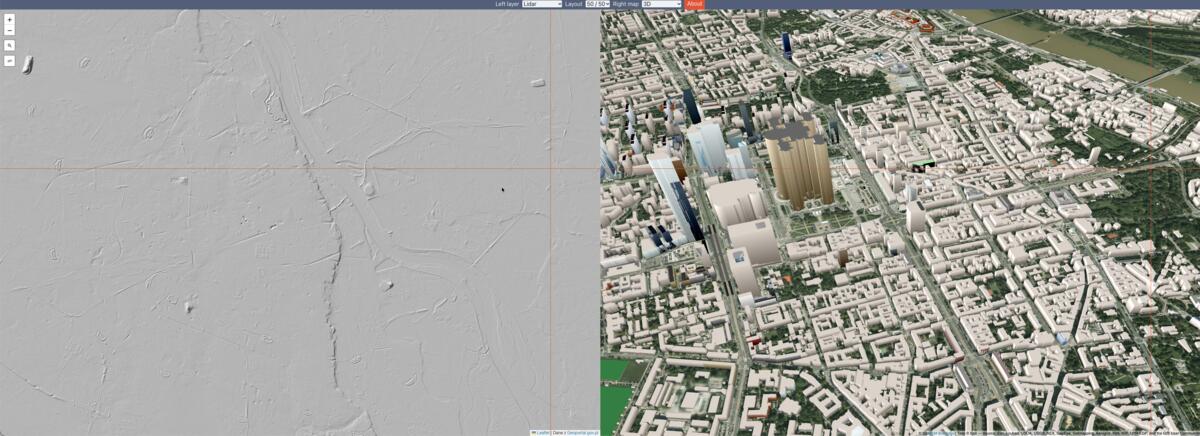
Explore elevation and terrain context
The Lidar layer in Dualmaps displays a shaded-relief service from Poland’s Geoportal. Relief shading can help reveal the shape of the landscape, including slopes, ridges and other elevation patterns that are less obvious on a standard street map. The adjacent panel can show a 3D buildings view, making it possible to compare terrain context with mapped structures at a shared location.
This page is a lightweight way to open the layer and move around the map. It is not a point-cloud processing application and does not expose raw LIDAR returns or measurement tools for the elevation service. The displayed relief is provided as map imagery, and availability or detail may vary with location and zoom. For authoritative elevation products, data specifications and analysis, consult the source Geoportal service directly.
Example: inspect a neighborhood in Warsaw
The preconfigured view opens around central Warsaw. Pan toward a park, riverbank or changing elevation and compare the relief layer with the 3D panel. Zoom in and out to see how terrain context changes at different scales. Because both views are synchronized, a feature identified in the relief image remains in the same position in the companion map.
Try other locations in Poland where the underlying service provides coverage. Search by place or address in the left map, then examine the same area in the second panel. If you are comparing regions, keep in mind that map layers can differ in date, resolution and geographic coverage.
Use the layer with other map views
Change the companion map provider or use another left-hand layer when you need roads, satellite imagery or topographic context instead of 3D buildings. The map position remains aligned as you explore. Dualmaps is designed to make visual comparisons convenient; it does not replace official survey data or professional terrain analysis.
Start exploring the LIDAR layer →