Compare Google Maps and OpenStreetMap Side by Side
See the same location in two map views at once. Move or zoom either map and Dualmaps keeps both views synchronized.
Check roads, buildings, paths and points of interest without repeatedly switching tabs. Start with Berlin, then search for any place you want to inspect.
Compare Google Maps and OpenStreetMap →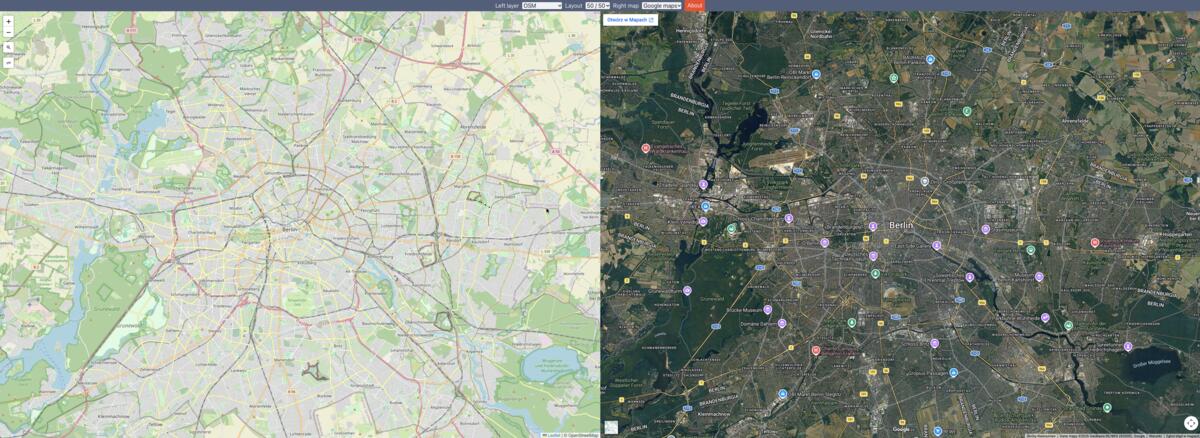
What can you compare?
Google Maps and OpenStreetMap are built from different data sources and presented with different styles. Looking at them together can make it easier to spot a street name, a footpath, a building outline or a place that appears differently on each map. This is useful when planning a route, checking a recently changed area or simply seeing how two map providers represent the same neighborhood.
The right-hand Google map opens in satellite mode, while the left-hand map starts with the standard OpenStreetMap layer. This makes the comparison especially useful for relating mapped roads and places to visible ground features. Map coverage and detail vary by location, and imagery can have different capture dates, so use the views as a visual reference rather than as a guarantee that either source is complete or current.
How synchronized map comparison works
Dualmaps keeps the map center and zoom level aligned as you pan or zoom the OpenStreetMap view. Search for a town, landmark or address in the left map, then inspect the same area in Google Maps without losing your place. You can also change the left map layer or choose another right-side provider from the controls.
For a practical example, zoom into a city block and compare the road layout with the satellite image. Check whether a mapped pedestrian path has a visible entrance, or compare the shape of a building with its outline on the street map. The synchronized layout reduces the friction of switching between separate browser tabs and trying to line up two independent maps by eye.
Open your comparison
Use the preconfigured Berlin view to get started, or search for another location after the maps load. Dualmaps is a browser-based comparison tool; it does not replace either provider’s own navigation, licensing terms or authoritative local data.
Open this comparison →